F1 Sim: Year 7 Strategy In Ten Lines Of Python
TL;DR
A classroom racing simulator built for Year 7 STEM Day, where students do not write a program, they write a driver's mentality and then race it against the rest of the class.
Benjamin Hyde
Education Leader & AI Builder
This week I shipped F1 Sim, a classroom racing strategy simulator built for our Year 7 STEM Day. STEM Day is an experience day rather than a normal lesson, so students rotate through activities and each one gets a single session to land.
That constraint drives the whole design. A coding activity in one session has to be simple enough that a boy who has never written Python can succeed in the first ten minutes, and deep enough that two students who both succeed still get different results. A blank editor fails the first test. A drag and drop toy fails the second.
So the students do not write a program. They write a driver.
The bit the students actually change
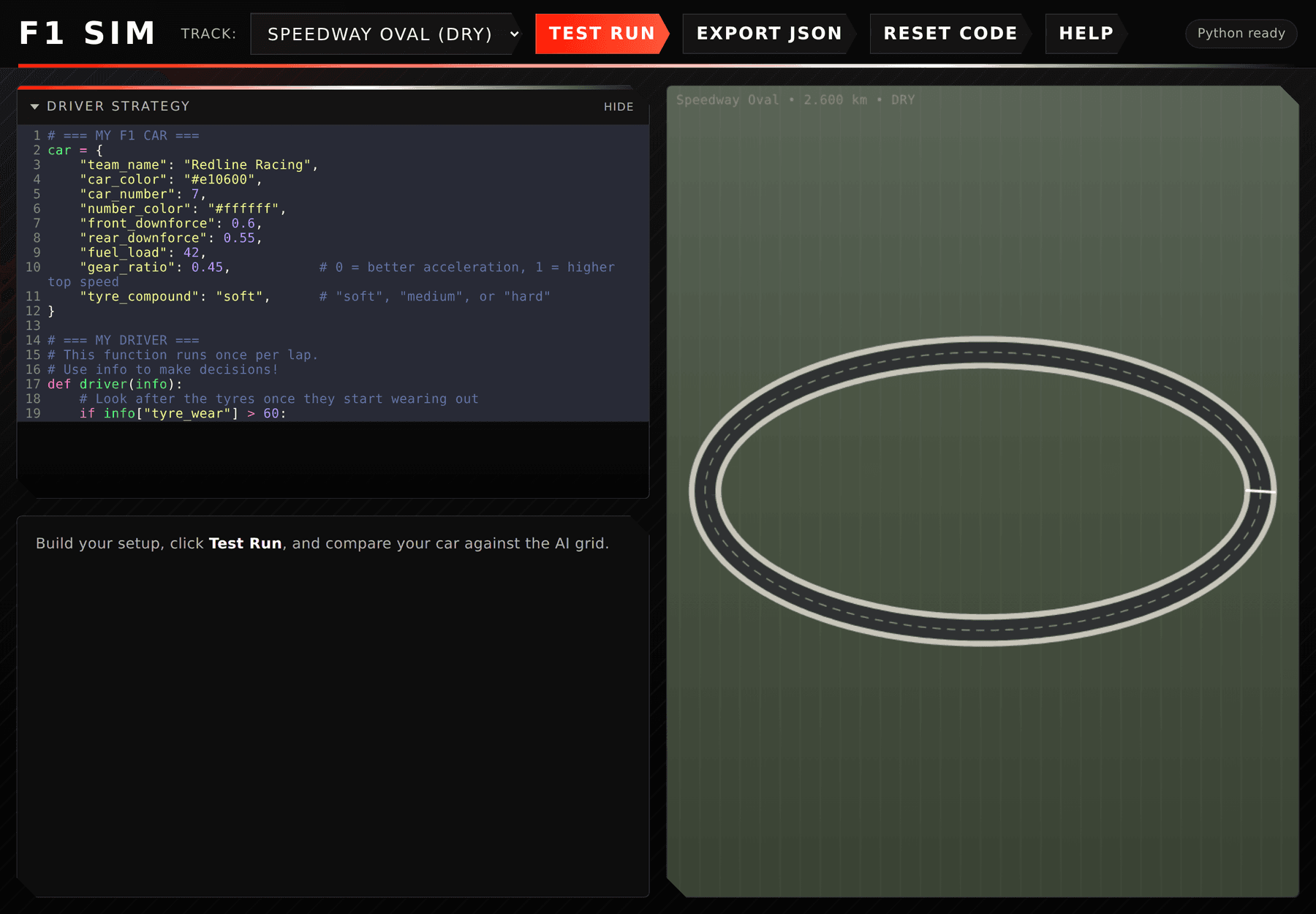
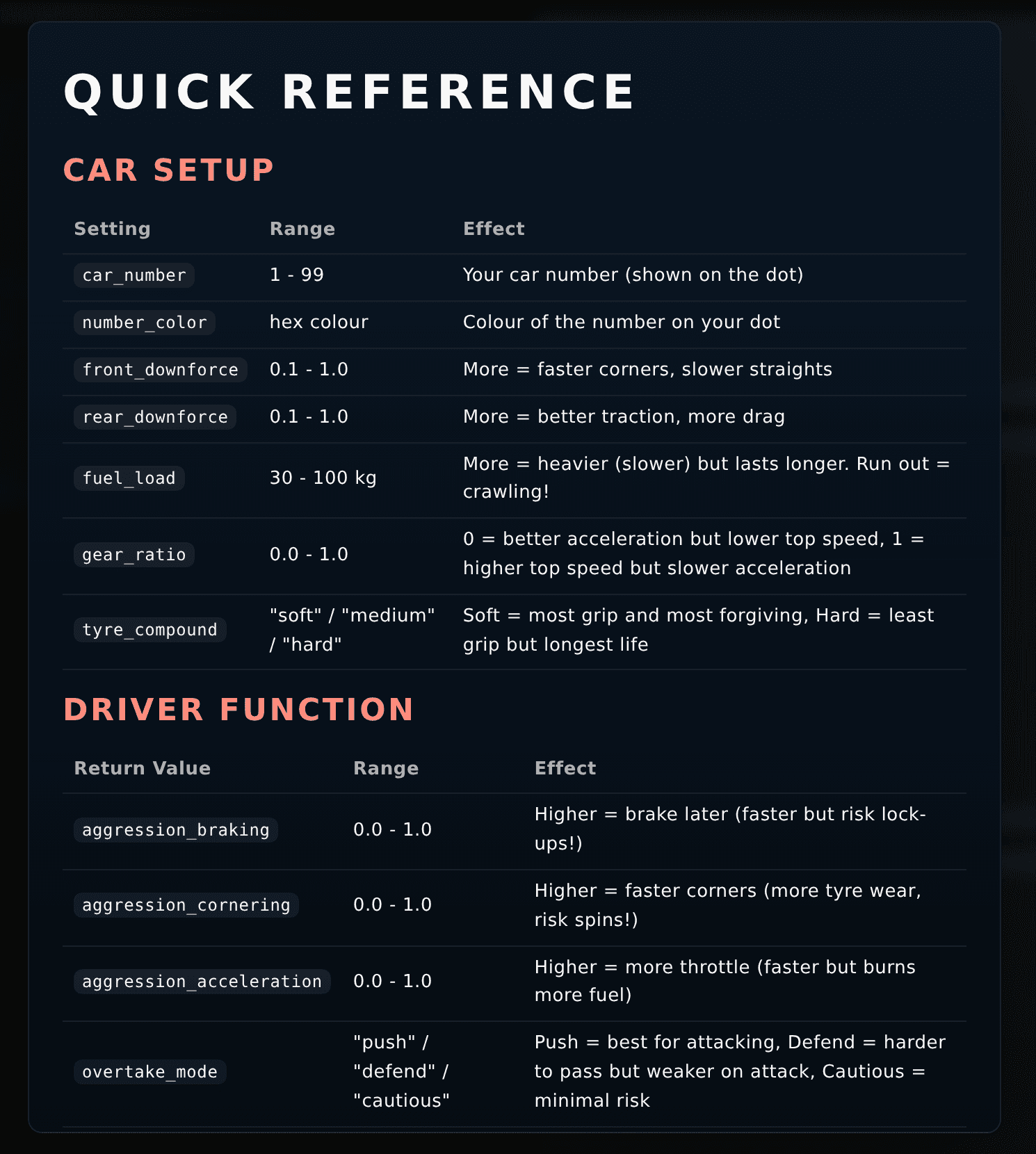
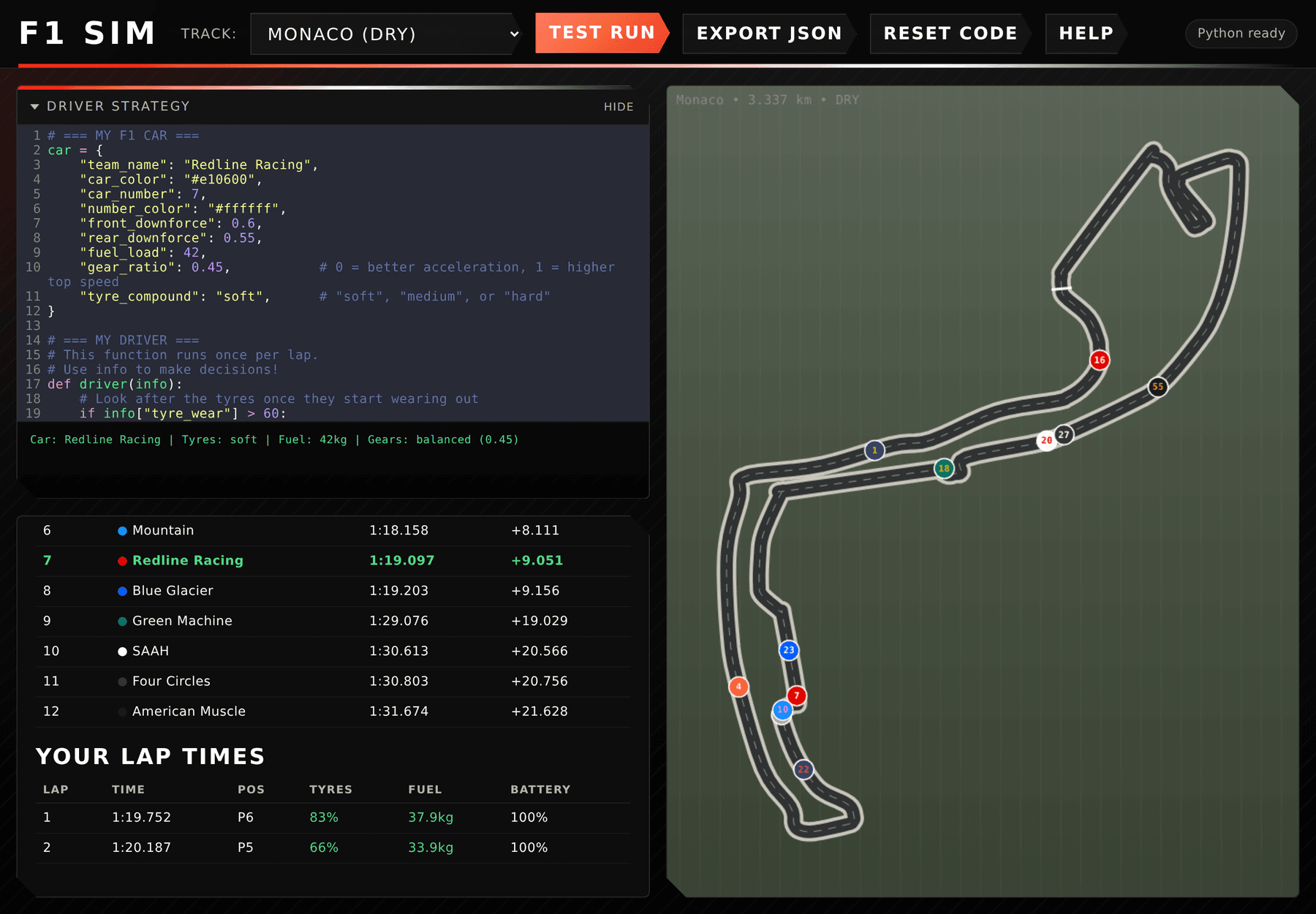
Every student starts with the same working car. It is a small Python dictionary with a team name, a colour, a car number, front and rear downforce, fuel load, gear ratio and a tyre compound. Change a number, run it, see what happens.
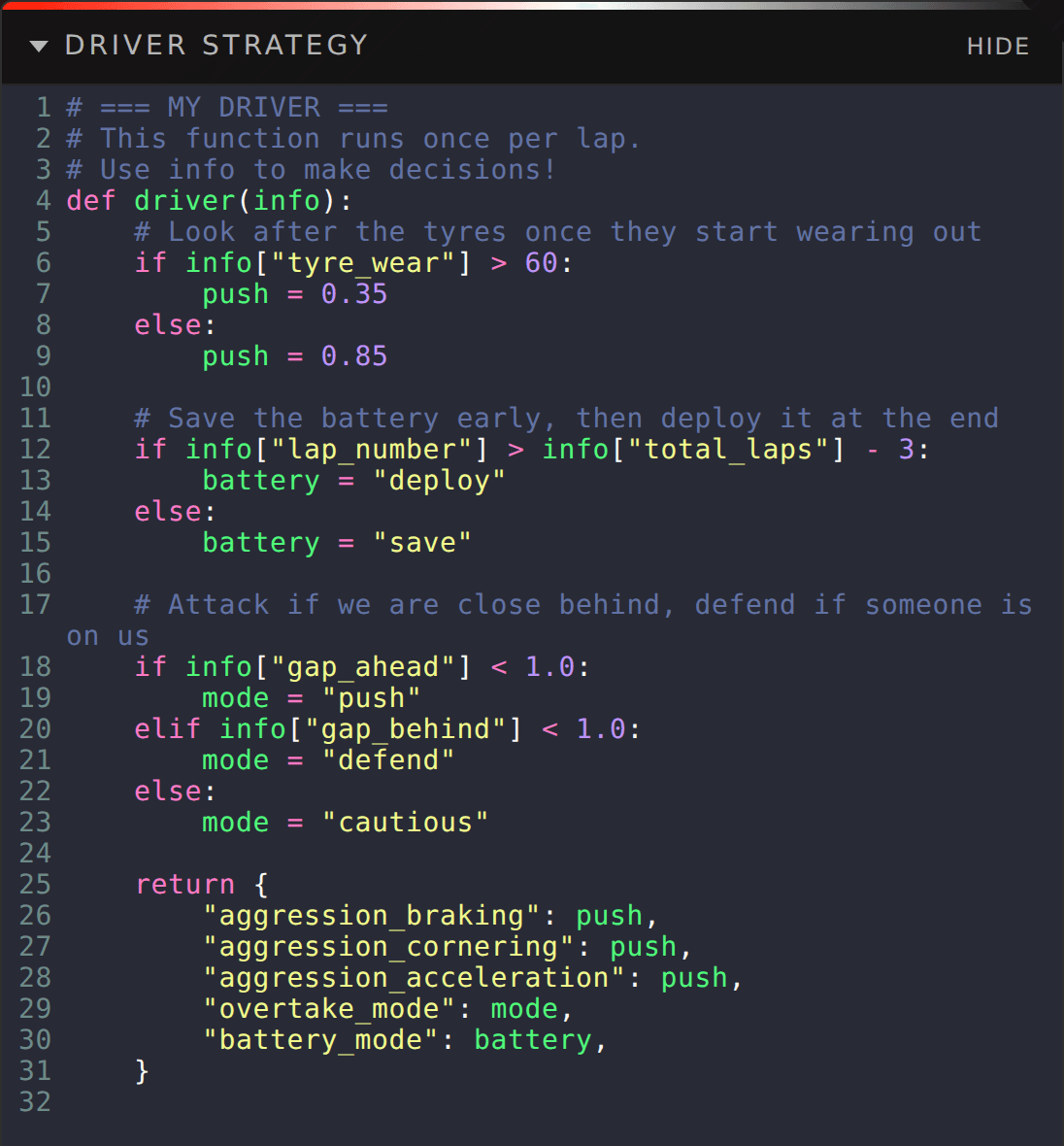
Under it sits the part that matters, a function called driver(info) that the simulator calls once per lap. It returns five values: how hard to brake, how hard to corner, how hard to accelerate, whether to push, defend or stay cautious in traffic, and whether to save, balance or deploy the battery.
That is the entire coding surface. Ten or so values, all of them meaning something a twelve year old already understands from watching sport. Being brave into corners wears your tyres out. Using all your battery early means having none at the end. Carrying more fuel means finishing the race but being slower all day.
Why a mentality instead of a program
The first version of a task like this usually asks students to write code that does something. This one asks them to decide what kind of driver they are, and then express that decision in code.
It works because the ceiling stays open. The simplest valid answer is to return five fixed numbers, and that runs. The next step up is one if statement, back off when the tyres are worn. After that students start reading the info the simulator hands them each lap: tyre wear, fuel remaining, battery charge, lap number, total laps, current position, the gap to the car ahead and behind, and the weather.
Once a student writes their first if statement about the gap to the car in front, they have quietly done conditional logic, comparison operators and a bit of strategy in one go, and they did it because they wanted to defend a position rather than because a worksheet asked for it.
Test, export, submit
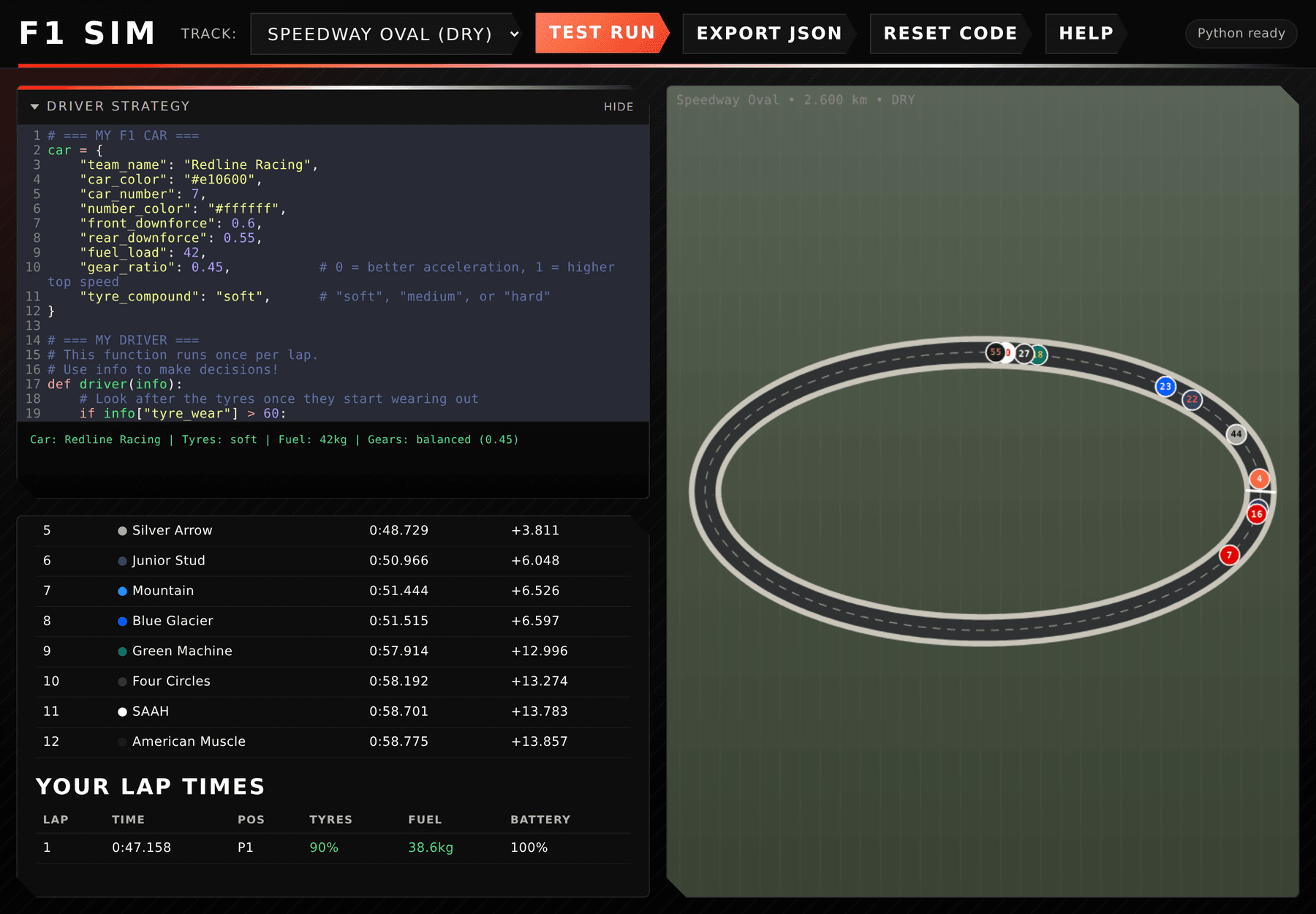
Students test against an AI grid on three circuits: a fictional oval to start on, then Albert Park and Monaco. The run is animated on the track with live positions, and their own lap times come back with tyre wear, fuel and battery for every lap, so a bad strategy is visible rather than just slow.
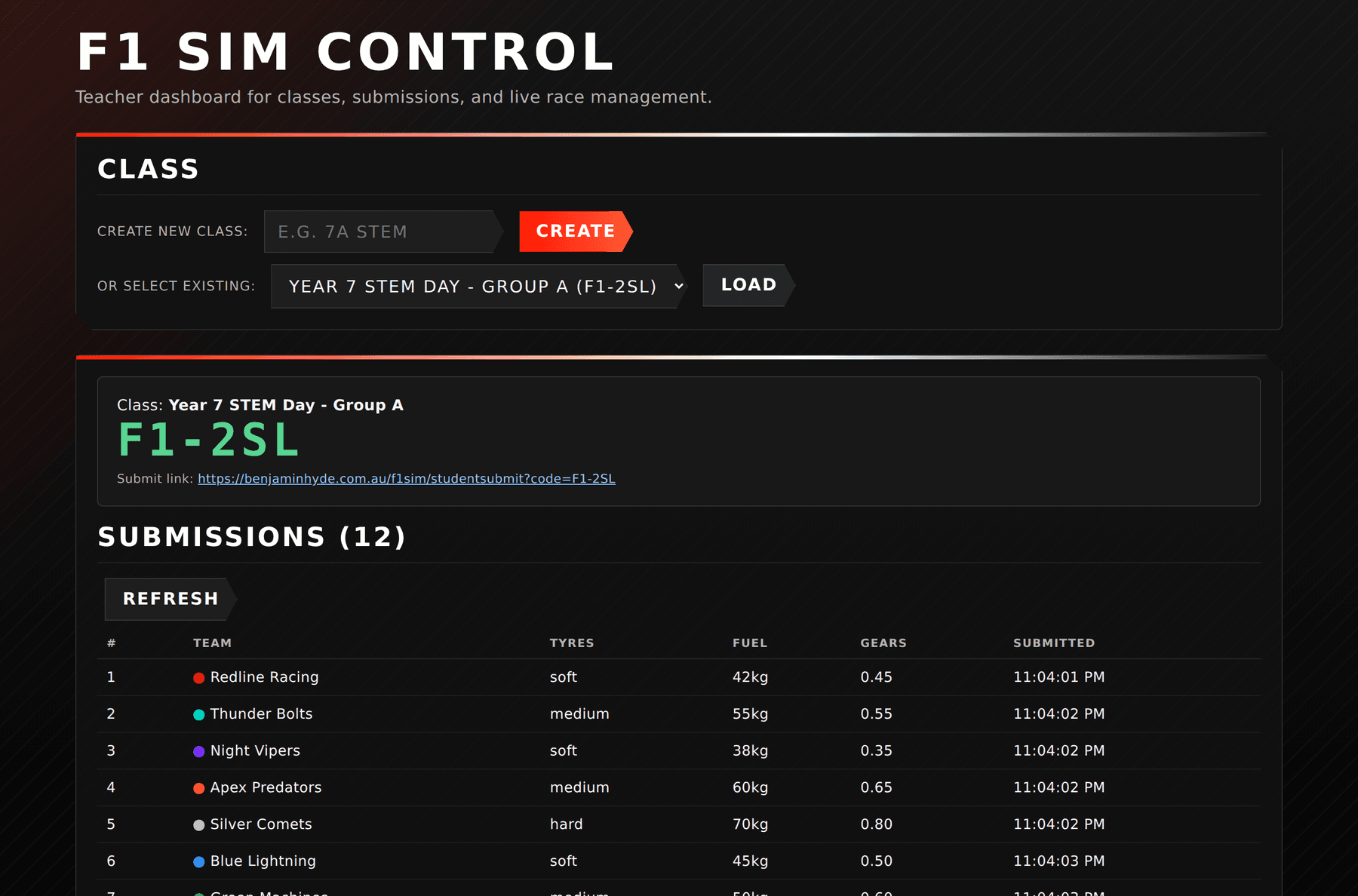
Code autosaves in the browser. When they are happy, Export JSON gives them their car and driver as a single file or a block of text, and the class submission link takes a paste, previews it and submits it to the teacher machine. Submitting again under the same team name replaces the earlier entry, which matters when a student has one more idea with five minutes left.
The teacher side is a class code and a dashboard. No student accounts, no logins, no personal data. Team names and colours only.
Race day
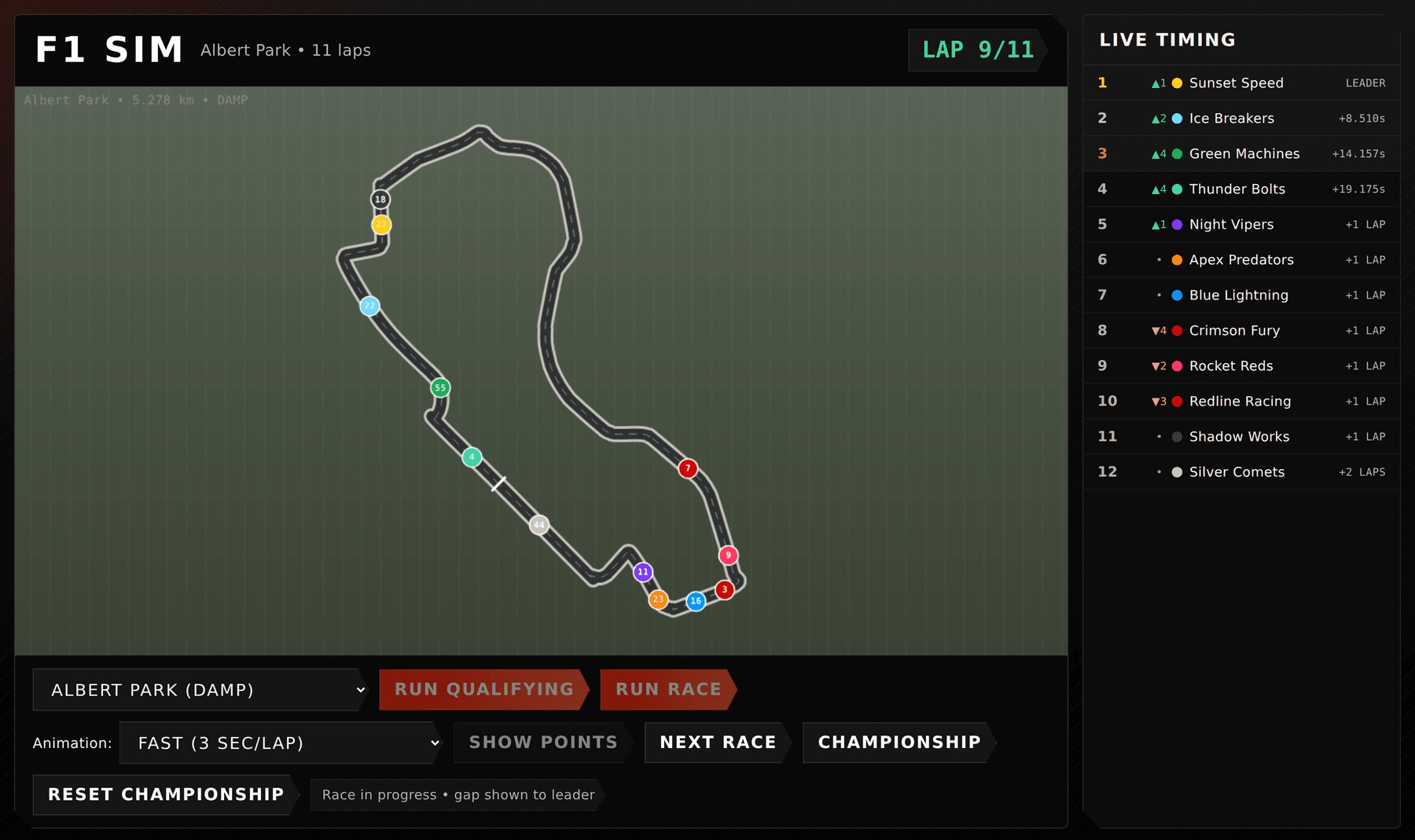
The last part of the session is the bit that makes it worth building. Race Control loads every submitted car, runs qualifying, then runs the race on the projector with live timing down the side.
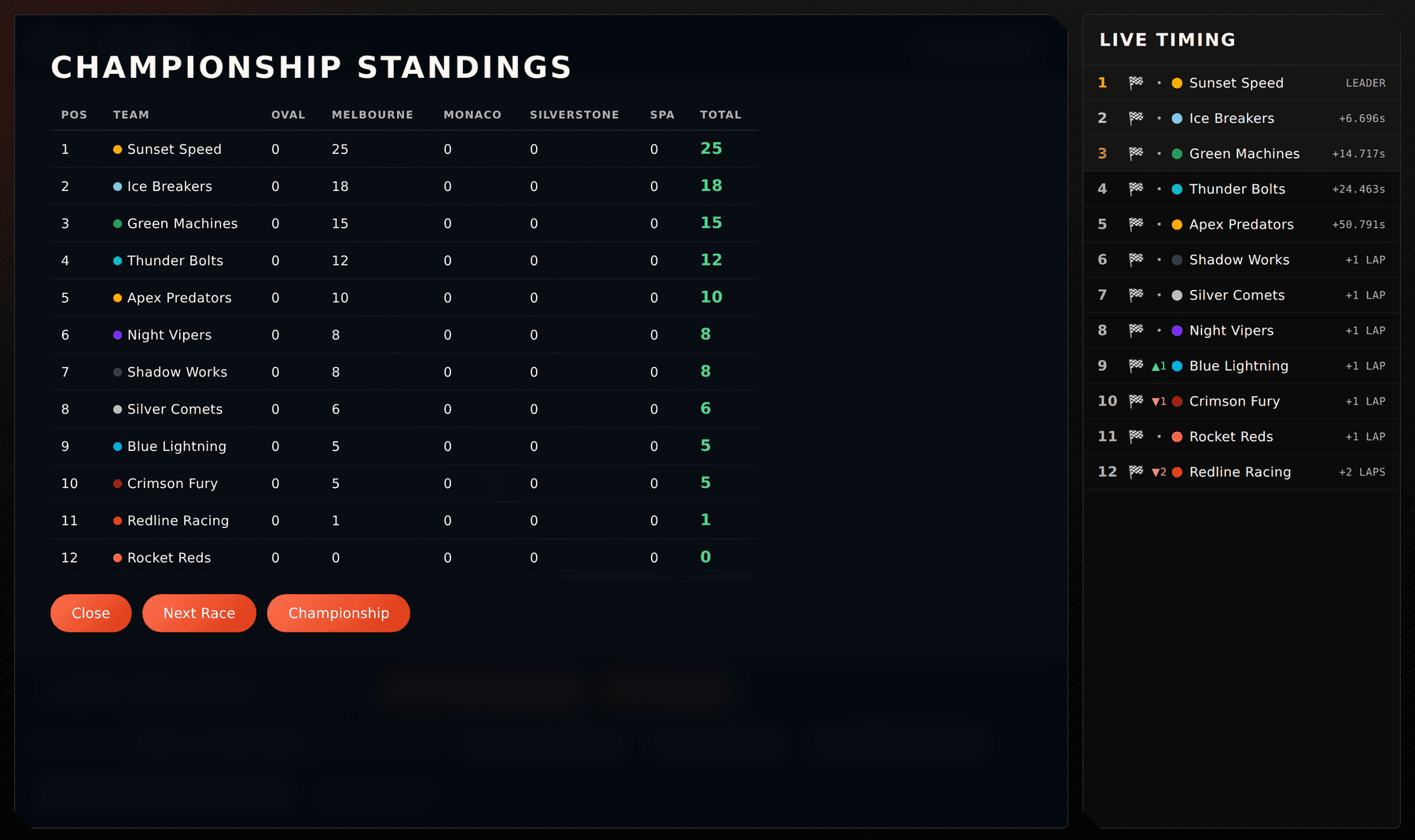
Championship scoring runs across five circuits, with points for the top three in qualifying, the top ten in the race, and a fastest lap bonus for the top three. Running the same track again replaces its saved result rather than double counting it, because the first race of the day is never the one that counts.
The championship table is where the strategy argument happens. A car that qualifies well and cooks its tyres by lap six loses to a car that was two tenths slower and still had rubber left, and the class works that out for themselves watching the gaps close.
How it went on the day
Each group got 50 minutes. That is enough to explain the car, let them build one, test it, submit it and still run a full championship at the end, but only just, and only because the starter car already works before anyone touches it.
Engagement was the part I will remember. They were all trying to build the best car they could, right up to the submission cut off, and the room stayed on task in a way a one off activity usually does not manage.
Last year's version of this activity was a drag racing simulator, and what it lacked was each other. It was individual. A student built a car, ran it, and got a number back. F1 Sim replaces the number with a grid, and the difference that made was obvious from the first test run.
The championship at the end is what carried the lesson. Knowing there was a race coming, on the projector, against everyone else's cars, changed how they treated the build for the whole 50 minutes. The competition did more for time on task than anything I said.
Running student code without losing the room
Student Python runs in the browser through Pyodide, inside a Web Worker so it is isolated from the page and from the teacher controls. Only the math module can be imported, and browser, file, dynamic code and special attribute access are all blocked.
There is a time limit on execution, so an accidental infinite loop stops and the worker is replaced for the next attempt instead of freezing a laptop. Invalid cars and out of range lap decisions are normalised to documented ranges rather than rejected, and a driver function that throws an error falls back to a safe default strategy.
That last one is deliberate. During the class race, one broken submission must not be able to stop the event for everyone else. The student still sees their car on track, it just drives sensibly instead of the way they intended, and that is a far better lesson at 2pm on a Friday than a stack trace on the projector.
Built to run without the internet
The classroom version is one Node command on a teacher laptop. It builds the site, prepares a local SQLite database and serves both the student page and the API from a single address, then prints the student link, the dashboard link and a teacher PIN. Students join over the school network.
Everything the simulator needs is served locally after install, including the Python runtime, so the lesson does not depend on a working internet connection or a CDN. Classes, submissions and results live in one SQLite file that can be copied before a big event and restored if something goes wrong.
The version at benjaminhyde.com.au/f1sim is the same application running behind the site so it can be looked at without setting anything up.
What's next
The lesson material is the weakest part right now. The simulator explains what each value does, but the sequencing of the session still lives in my head and in a training document rather than in the app.
After that, the interesting extension is head to head. Letting a class run a second event where students see the winning car's driver function and try to beat it turns the whole thing into a strategy arms race, which is the version I actually want to teach.
Screens
Build Notes
Approach
Design the activity first and the software second. A single session with beginners means the starter car has to work unmodified, the coding surface has to be about ten values, and every change a student makes has to be visible on track within seconds. The simulation is deliberately deterministic so that a class can argue about why a car was slower rather than blaming luck.
Tools Used
TypeScript, Vite, Pyodide for in-browser Python, Web Workers for isolation, Express, Prisma with SQLite, Docker and Caddy for the hosted copy, Claude Code for the build
What Worked
Making the students write a driver mentality instead of a program. It gives a working first run in minutes, an open ceiling for the students who want it, and a race at the end where the strategy differences are visible to the whole room. The competition is what made it land. Last year's drag racing version was individual and finished with a number, and swapping that for a class championship on the projector kept every group building right up to the submission cut off. Falling back to a safe default when a driver function errors was the other one, because it means a single broken submission cannot stop a class event.
What Failed
Nothing critical, though hosting it under a sub-path on the main site rather than its own domain needed the asset base path baked in at build time and the API mounted on the same prefix, so changing that path means a rebuild rather than an environment change.
What's Next
Get the lesson sequencing out of my head and into the app, then build a second event mode where students can see the winning driver function and try to beat it.

