QueryForge Dashboards and AI Feedback
TL;DR
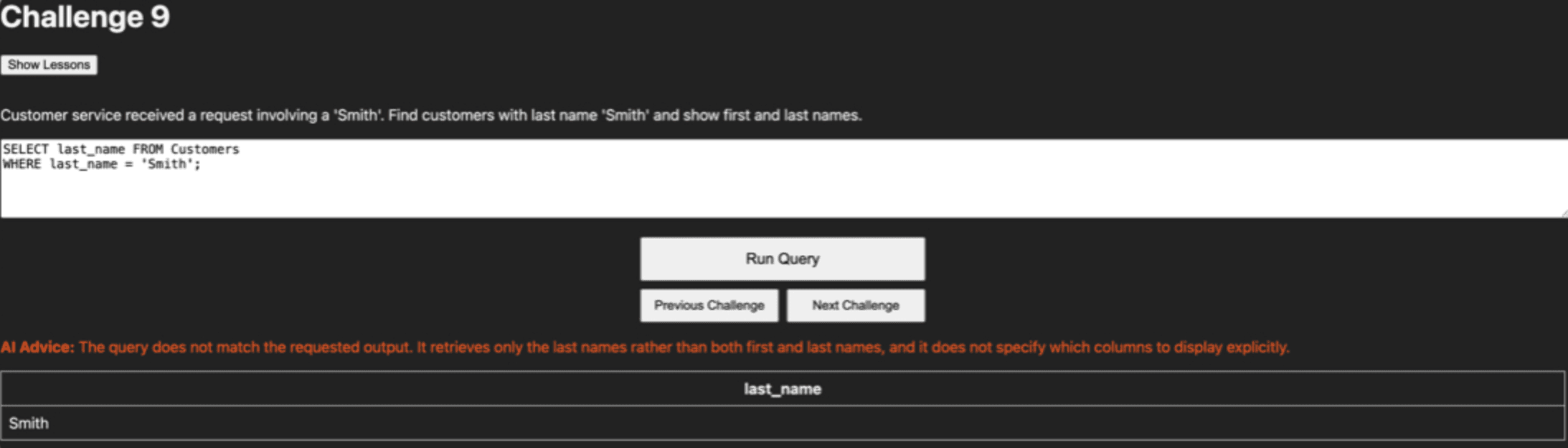
With some more time in development (and use by students) I was able to add a teacher dashboard as well as an API call to OpenAI to get the answers marked by an AI Assistant.
Benjamin Hyde
Education Leader & AI Builder
About six weeks after the release of QueryForge and some use by students it was time to ship an update that I had been working on in the background. Thankfully I was able to keep all the student data in one place and not lose any of their completions along the way.
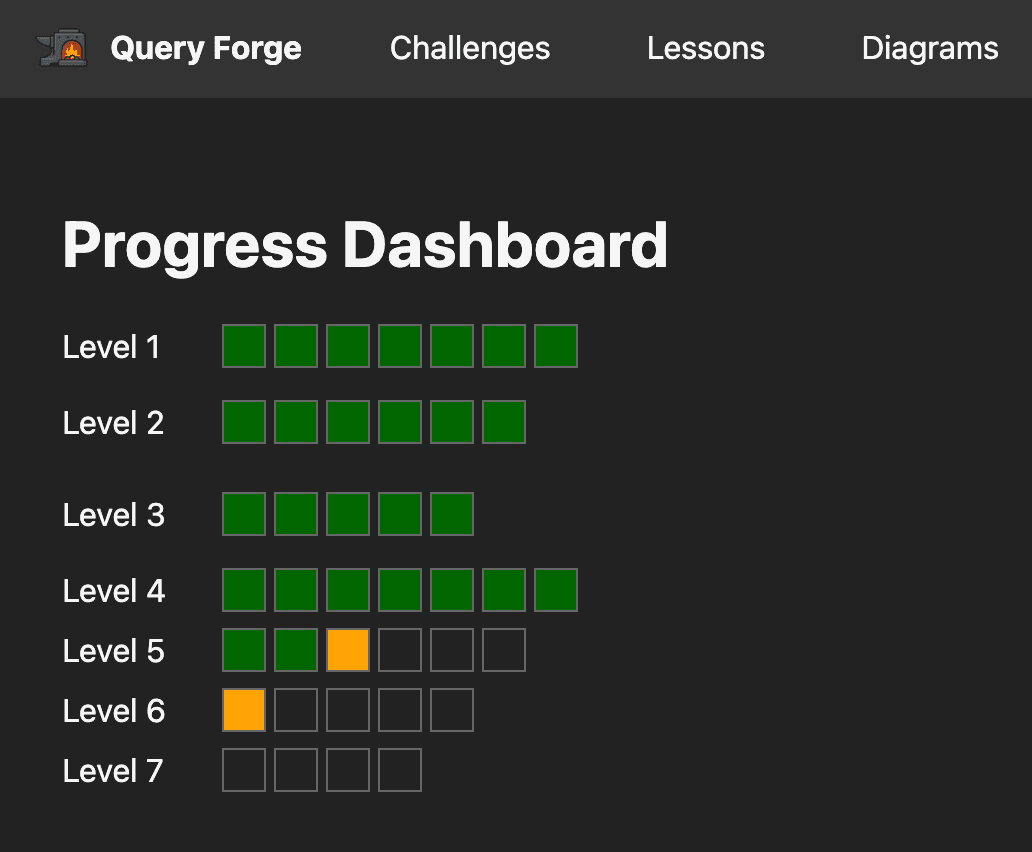
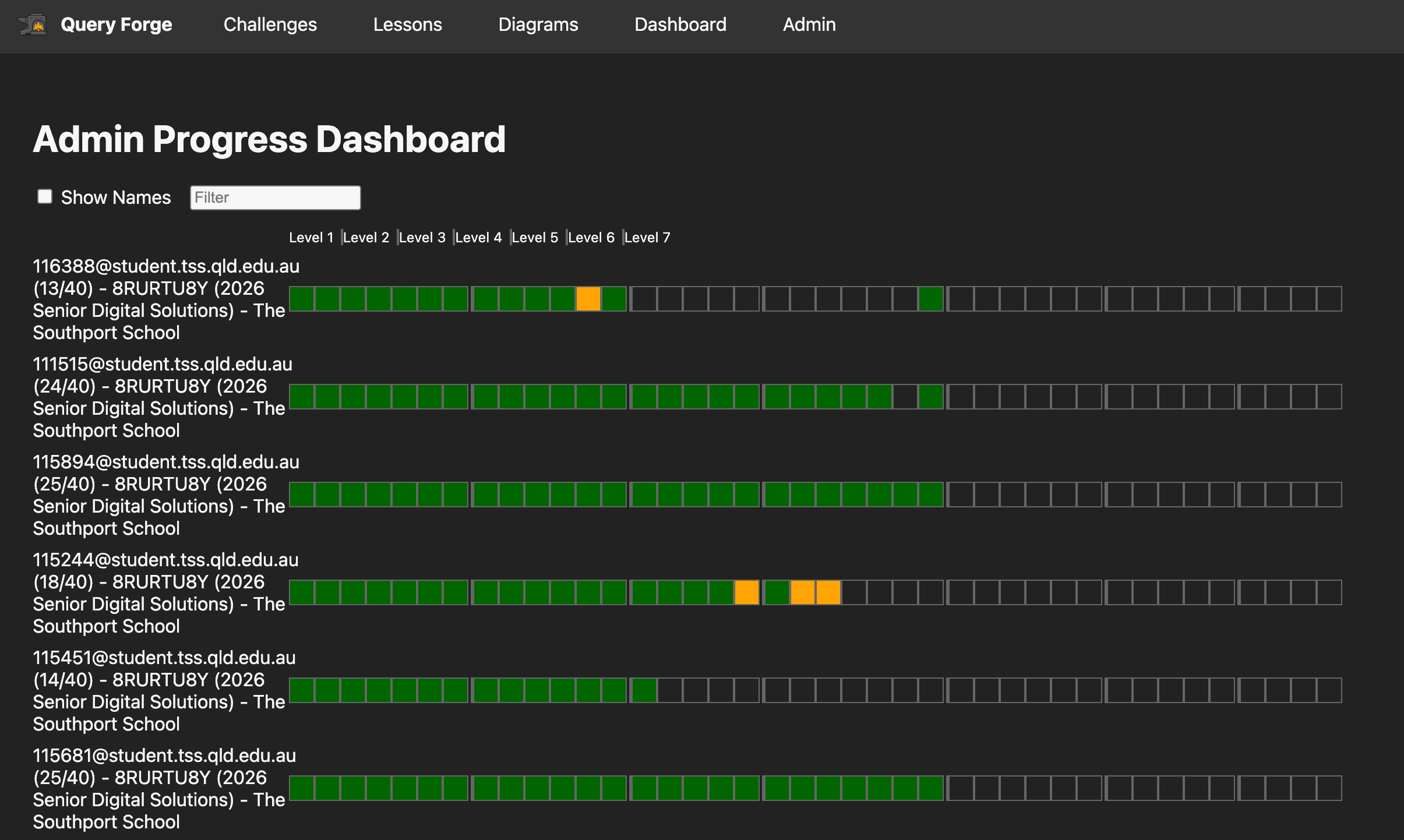
Next up there was a dashboard for me to be able to view all their work. Thankfully as part of the students signing up to the platform, I had them use a 'class code' on the registration screen, so this meant I could get students grouped by their classes.
What changed
The biggest part of this update in terms of the work was probably the teacher dashboards, but the one that had the most impact was the AI Assistants. Rather than needing to race around to each student in class and help with their queries (they still had that face to face option), the students also had the option to get help from me, but it also meant that if I was busy, students could reflect on the AI help and try again.
Why that change mattered
I think one of the biggest things I reflected on was the bottleneck of getting help. This absolutely killed momentum of students, but also absolutely killed their confidence to keep trying. I noticed that this then led to students just seeking a correct answer from someone else who had it, rather than working through trying to get that sorted themselves.
I really wanted this to be a learning first platform, rather than a compliance platform where students just did the work to tick the box and move on.
The dashboards gave me a really quick insight into what students were struggling with and where they were up to. This data informed me both before and during lessons.
The tool has been a fantastic chance to be able to add more to my databasing.
What's next
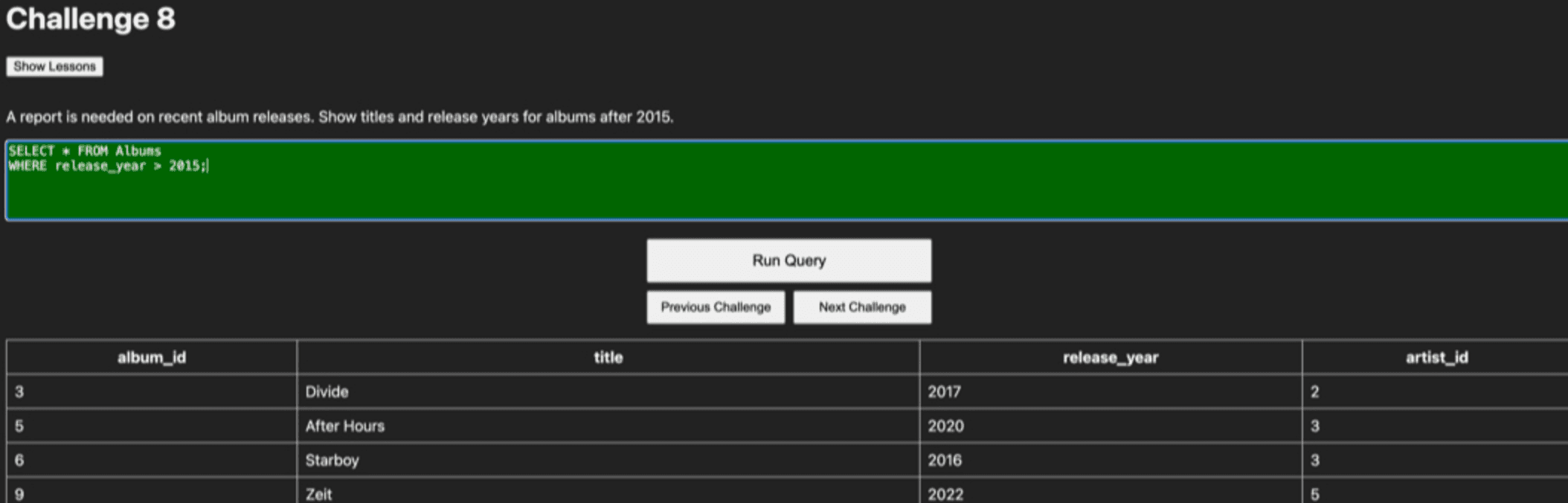
I think what's next for the platform is to try and give students the ability to complete the rest of the CRUD operations. Currently they just search the database for information, but next I think I'd like to allow them to make their own tables, insert data into them, update fields and even include deletions and drops. Obviously this gets trickier to manage as I need to be really sure on what those look like to ensure that students are only dropping specific tables and I don't end up losing the whole system!
Screenshots
Build Notes
Approach
Focus the next release on visibility and response time: student progress view, teacher oversight, and AI support for independent work.
Tools Used
Next.js, TypeScript, Prisma, SQLite, OpenAI
What Worked
Students could see progress and get immediate guidance, which reduced waiting and helped maintain momentum.
What Failed
AI feedback still needed careful framing so it supported learning without becoming a shortcut.
What's Next
Keep improving feedback quality, strengthen teacher visibility, and make the challenge flow even more seamless.

