QueryForge Initial Ship
TL;DR
I shipped a new database querying web app that students can use to practice writing real queries with AI giving them feedback when they're incorrect.
Benjamin Hyde
Education Leader & AI Builder
QueryForge was this idea I had to gain control of databasing in my classroom but add some extra help for students. During my time at Varsity College I worked with an absolute beast, Steve Tucker. Steve taught me so much, but one of the things I took away was that he built this application called MyQueryTutor, and QueryForge really has its ancestry roots from MyQueryTutor. This was my moment to stand on the shoulders of a giant, a man I looked up to whilst really learning to be a Computer Science teacher.
I started work on the 20th of May 2025 and shipped the first version to my web server 5 days later. The goal of the first release was pretty simple: have all the functionality of students being able to write and practice queries against a real database. I had two essentially non-negotiables before I was happy to get this out the door. Query execution had to be reliable and second I needed a fairly extensive little list of challenges for students to complete so that they had ample practice.
This was the right starting point for me because it kept things quite narrow. It was tempting to jump into dashboards and teacher screens etc but really I just needed the student thing working so that I could get my kids writing queries.
What shipped
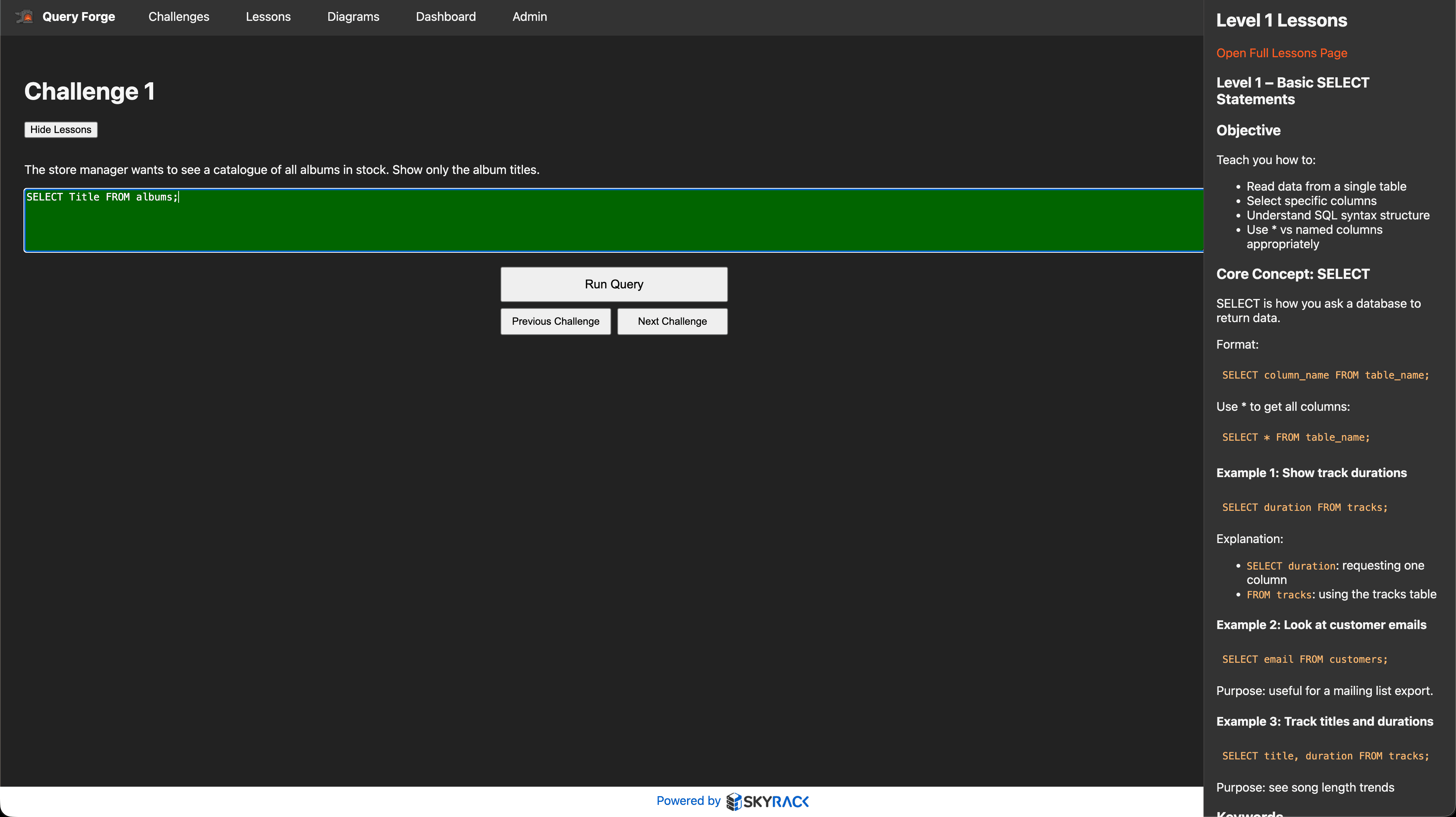
The initial release was really simple, super primitive. It had the core database interactions, students could write queries and see the outputs, they also had their query 'marked' by the system. Realistically this marking was terrible. I had a massive list of 'correct' queries for each challenge with as many variations of how you could get that correct data out of the database. This got difficult to manage though as the queries got more difficult. The amount of aliasing differences I was trying to include was huge. So annoying.
But the students had some progression to work from simple select queries through to multi-table joins.
What's next
In terms of what's next, it's time to build out a full application background for the teacher. I want to be able to see what my students have written as their queries, get a visual representation of where they are at, and better still, fob off the 'marking' of that work to an AI assistant so that I don't need to come up with one million correct answers.
Screenshots
Build Notes
Approach
Ship the smallest usable QueryForge: real SQL query execution against a database plus a visible challenge sequence.
Tools Used
Next.js, TypeScript, Prisma, SQLite
What Worked
The core learning loop was established early, and query execution plus challenges gave the project immediate educational shape.
What Failed
The first version was intentionally narrow, so richer teacher-facing and progress-tracking features were still missing.
What's Next
Expand the challenge system, smooth the student workflow, and layer in the supporting features needed for classroom use.

